
Product Documentation
- Release Notes
- Introduction
- Installation
- SKFS Installation Checklist
- Standalone Installation
- Clustered Installation
- Dockerized Installation
- Install HAProxy Load Balancer
- Upgrading SKFS
- Upgrading to SKFS 4.20.1
- Upgrading to SKFS 4.16.0
- Upgrading to SKFS 4.15.1
- Upgrading to SKFS 4.15.0
- Upgrading to SKFS 4.14.0
- Upgrading to SKFS 4.13.2
- Upgrading to SKFS 4.12.0
- Upgrading to SKFS 4.11.0
- Upgrading to SKFS 4.10.0
- Upgrading to SKFS 4.9.0
- Upgrading to SKFS 4.8.0
- Upgrading to SKFS 4.7.0
- Upgrading to SKFS 4.6.0
- Upgrading to SKFS 4.5.0
- Back
- Simulating Node Failures
- Removal
- Back
- Administration
- Operations
- Security
- Operating System
- Policy
- SKFS Policy Module (PM)
- JSON Schema
- Minimal (Any Hardware Authenticator)
- Moderate (Specific Authenticators)
- Strict (All Biometric Devices)
- Strict (Android SafetyNet)
- Restricted (TPM)
- Restricted (Android)
- Restricted (Apple PassKey)
- Restricted (FIPS)
- MetaDataService (MDS)
- FIDO Policy Options
- Back
- Back
- Configuration
- CLI Tool
- FIDO Operations (skfsclient)
- Admin Operations (skfsadminclient)
- Ping SKFS (P)
- Get Policy (GP)
- Create Policy (CP)
- Update Policy (UP)
- Delete Policy (DP)
- Get Configuration (GC)
- Update Configuration (UC)
- Delete Configuration (DC)
- Update Username (UU)
- Get User Keys (GUK)
- Add ROR (AR)
- Get ROR (GR)
- Update ROR (UR)
- Update and disable ROR (UDR)
- Add DAL Target (ADT)
- Get DAL Target (GDT)
- Update DAL Target (UDT)
- Update DAL target and disable (UDTD)
- Add x509fingerprint (ADFP)
- Update x509fingerprint (UDFP)
- Update x509fingerprint and disable (UDFPD)
- Back
- Back
- SSO
- Back
- How To ...
- Add an Additional Server to the SKFS Cluster
- Create and add new alias
- Debug Replication Issues
- Manage FIDO Metadata Service (MDS)
- Manage Keystores or Certificates
- Manage DAL
- Manage ROR
- Manage SKFS Policy
- Manage SKFS Configuration
- Perform SKFS Operations
- Replace a Server in the SKFS Cluster
- Back
- Troubleshooting
- Standalone Node Troubleshooting Guide
- Clustered Node Troubleshooting Guide
- Error Codes and Their Meanings
- Solutions for Known Issues
- Certificate not found in truststore while Authentication in Discover
- CORS Missing Allow Origin or ERR_CERT_AUTHORITY_INVALID
- Json could not be parsed : Invalid 'request type'
- Json could not be parsed : Policy requires counter
- JWT CIP 192.168.x.xx does not match: [localhost]]]
- mysql binary does not exist or cannot be executed
- Remote server does not listen for requests on [localhost:4848]
- RPID Hash invalid - Does not match policy
- This security key doesn't look familiar. Please try a different one.
- Back
- Back
- Developer
- Sample Applications
- SKFS API
- Build SKFS from source
- Tutorial
- Discoverable Credentials
- Related Origins Requests (ROR)
- Digital Asset Links (DAL)
- Back
- Demos
- MFA Implementations
Loading a PKCS#12 file (.pfx) with iShield Key 2
To load a PKCS#12 file into an iShield Key 2, you must use the iShield Key Management Kit.
- Start up the iShield Key Management Kit application. If the iShield Key 2 is inserted into the machine, it will display the following screen.
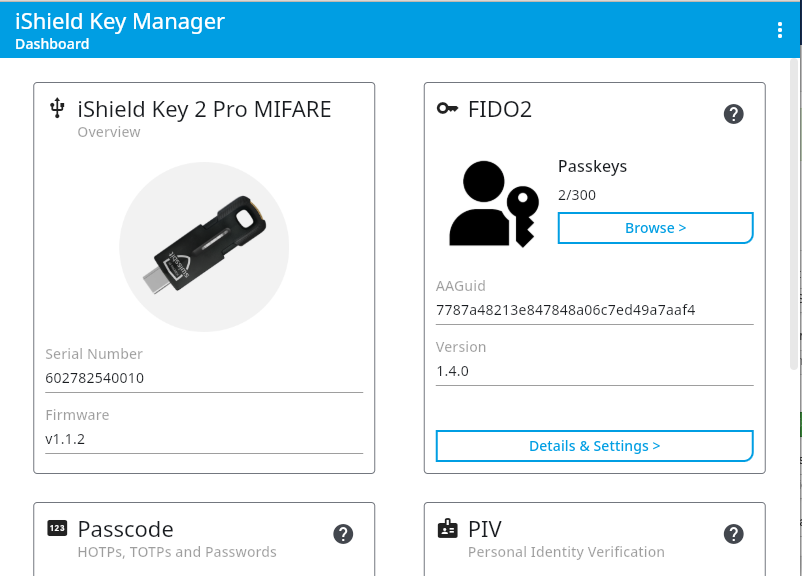
-
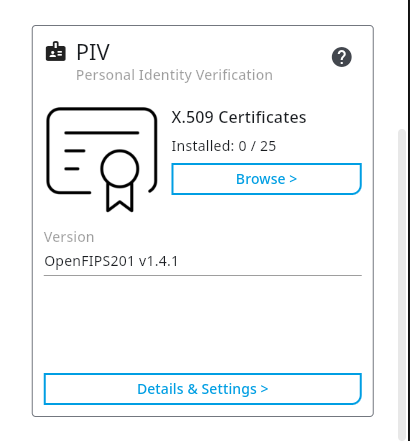
Browse to the "PIV" section and select "Browse".
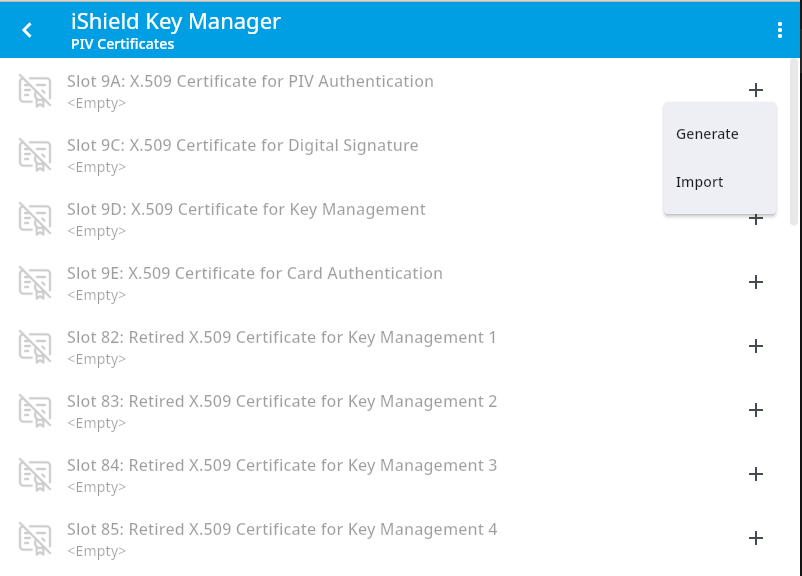
- Select one of the "+" symbols on the right and import a certificate.
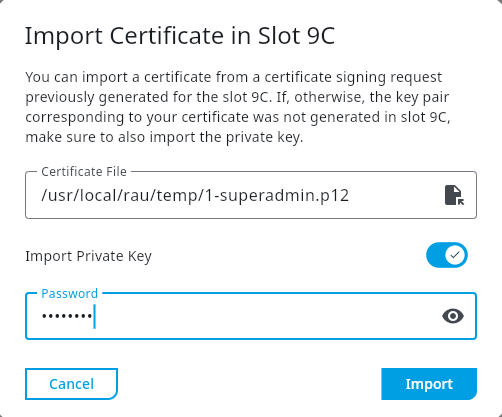
- The Key Management Kit will prompt you to select a certificate from your file system to import.
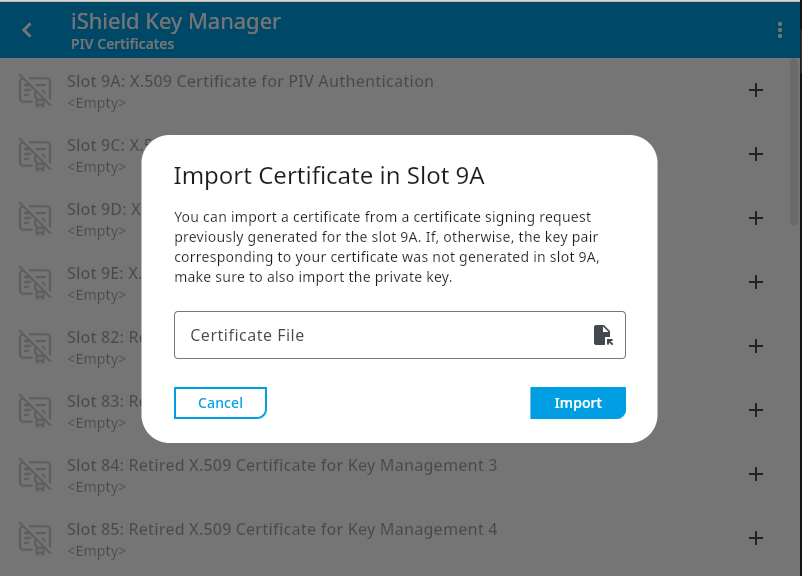
- Once a certificate is selected, the application will ask you for the password to the certificate. Insert the password and click on "Import".
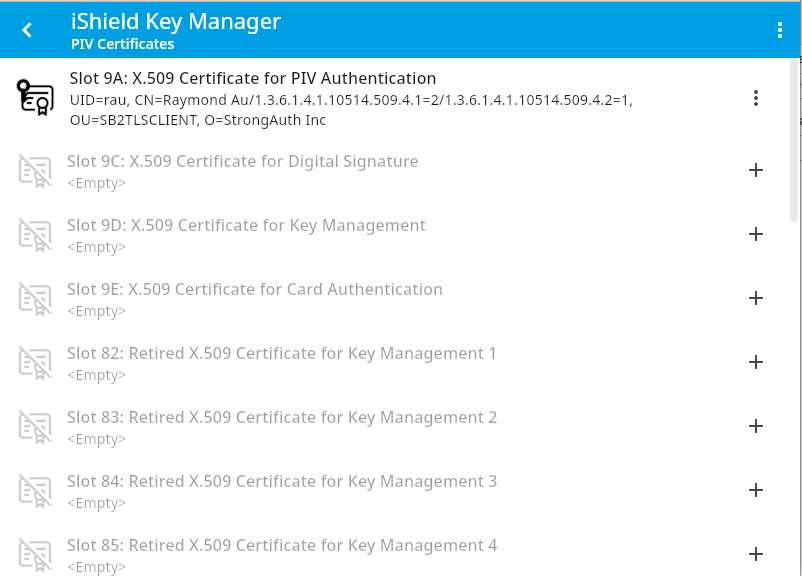
- If the file is successfully imported, it will show up in the list of certificates.
Copyright (c) 2001-2025 StrongAuth, Inc. (dba StrongKey) All Rights Reserved